
Using UChicago Gmail as a Spam Filter
To combat spam, you can forward your hep mail to your Uchicago Gmail account. However, if you do this, you will NOT be able to use pine to read your email. You'd have to use a modern email client, such as Thunderbird, Outlook or Mac Mail. You can set up your Uchicago Gmail account to automatically send mail using hep, so that your address can continue to be (username)@hep.uchicago.edu.
For the following example, assume we have a user with an hep account named george and his cnetid is gsmith.
HEP email: george AT hep.uchicago.edu
UChicago email: gsmith AT uchicago.edu
Claim your UChicago Google Apps account. This is a separate account from your cnetid, though you'll log into it with your cnetid@uchicago.edu email address. Instructions for claiming this account are here: https://answers.uchicago.edu/page.php?id=27245.
In George's case, his UC Google email address is gsmith@g.uchicago.edu.
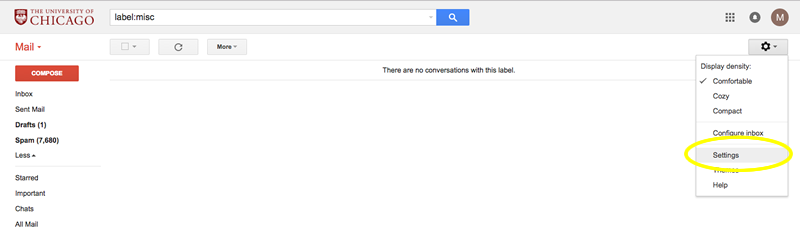
Login to UChicago Gmail account page: http://gmail.uchicago.edu Note that you'll use the password that you set up for your UChicago Google Apps account, not the password on your cnetid. And go to the Settings for the account.
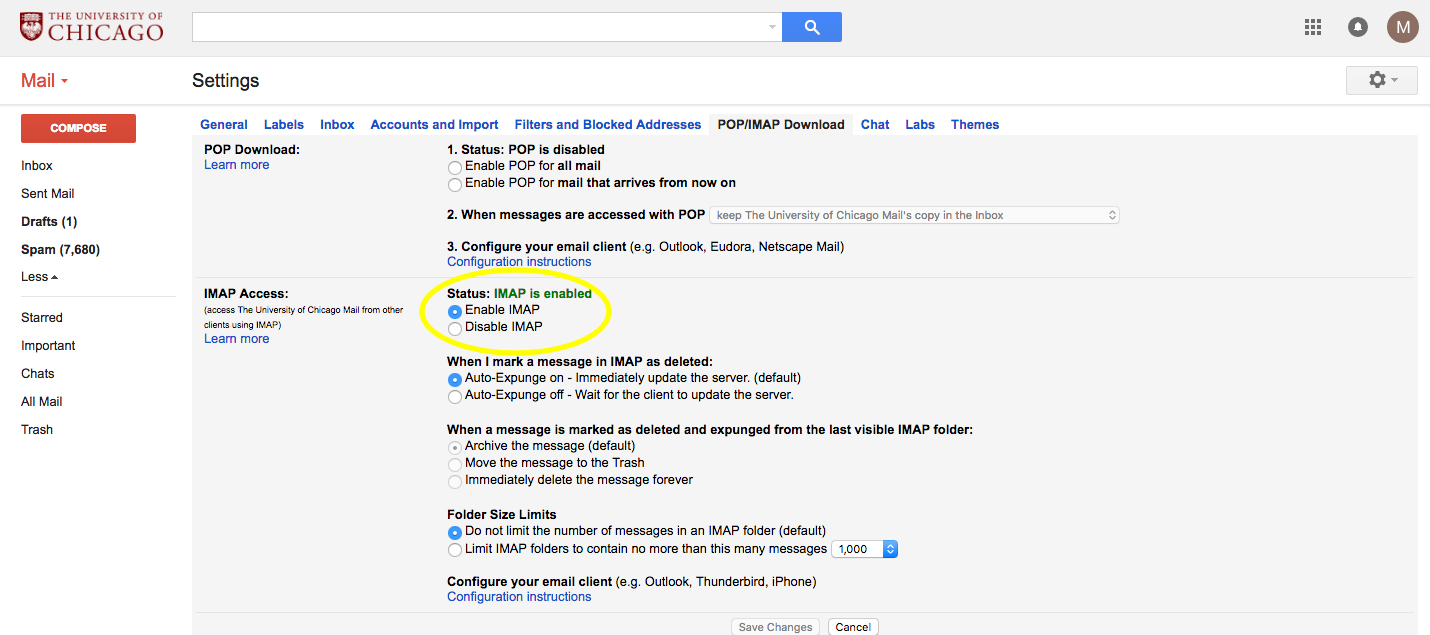
Make sure that imap is enabled
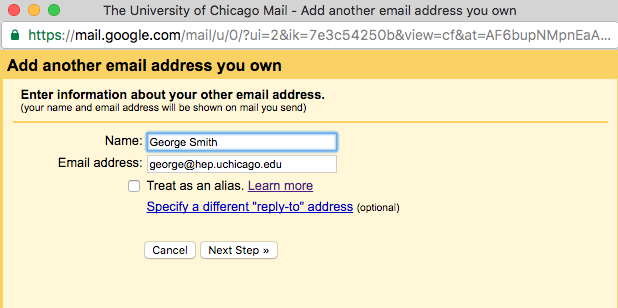
Add the hep email address in the "Send mail as:" section.

Fill in your information in the following windows
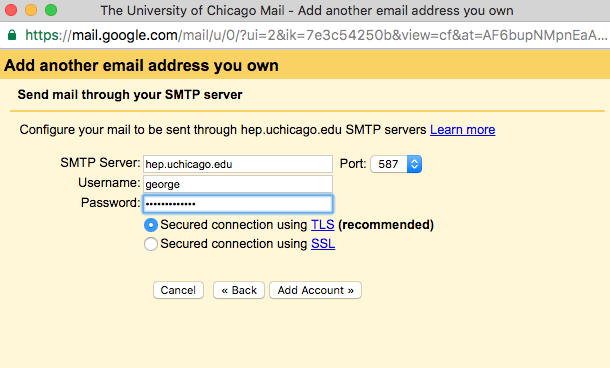
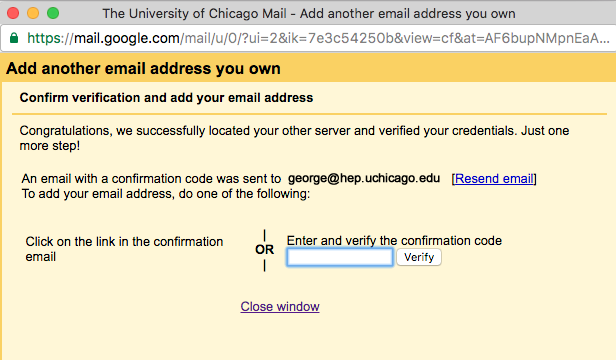
You'll then get a message emailed to you to confirm that you own the account. You can either click the link in the message or enter the confirmation code here.
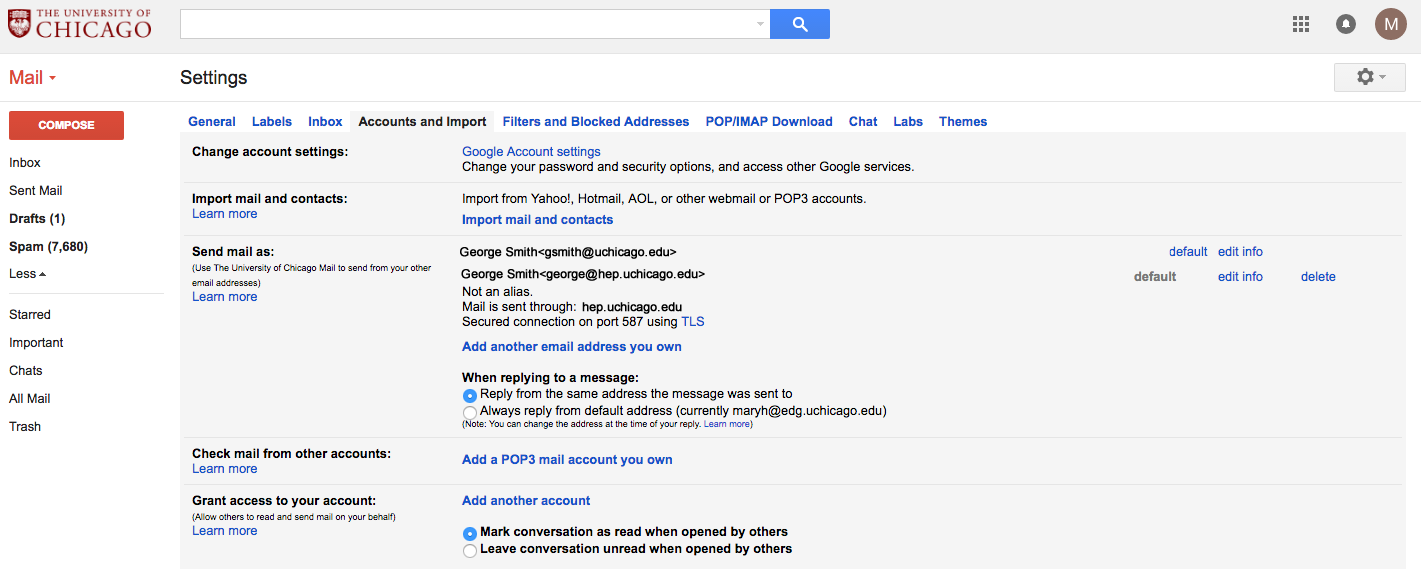
Once you've added the account, click the default button to make it your default account.
Set up your account on hep to forward all email to the UC Gmail account.
- Ssh into hep and remove your .forward file
- Edit your .procmailrc file. You can comment out any commands related to spamassassin sorting mail and just have the following lines which will forward your email.
:0
!gsmith@g.uchicago.edu
At this point, any email sent to george@hep.uchicago.edu should be simply forwarded to gsmith@g.uchicago.edu.
Setting up your email client
Incoming Mail (IMAP) Server:  imap.gmail.com
Username:  gsmith@uchicago.edu
Requires SSL: Yes
Port: 993
For your outgoing mail, you have two options. You can either tell gmail itself to send mail through hep.uchicago.edu or you can tell your mailer to just use hep.uchicago.edu as your smtp server. If you're using a client, like Mac Mail or Thunderbird, it doesn't really matter which you use. However, if you're going to log in to the UChicago Gmail website to read mail, you'll want to make sure that you've configured it to send mail through hep (which we did above).
Setting up hep.uchicago.edu as your SMTP server (not going through google at all for your outgoing mail
SMTP Server:  hep.uchicago.edu
Username:  george
Requires SSL: Yes
Requires Authentication: Yes
Port: 587
Setting up mail to have gmail send mail through hep.uchicago.edu
SMTP Server: smtp.gmail.com
Requires SSL: Yes
Requires TLS: Yes (if available)
Requires Authentication: Yes
Port: 587
Username: gsmith@uchicago.edu
Send yourself some test messages to see if things behave as you expect.